

Node.js
Basic Interview Q&A

1. Mention the benefits of using Node.js.
Below are the main benefits of using Node.js:
- The APIs in Node.js are asynchronous which means that they do not cause blockers. This happens due to the Node.js server not waiting for the return of data once an API has been called. It moves on to the next API. Instead, there is a notification mechanism that gets the response from the prior API call. Thus, we can also say that Node.js is event-driven.
- Node.js is powered by the Google Chrome V8 JavaScript Engine. This makes code execution in the Node.js library super fast.
- Node.js is based on a single-thread model with event looping. The event mechanism in the Node.js library makes it highly scalable because it prevents blockers on the server as compared to other servers that can only handle limited requests. In Node.js, the single thread program can service copious requests compared to something like Apache HTTP Server.
- Because of the event mechanism in Node.js, there is no buffering. Instead, the data output occurs in chunks.
2. Explain global installation of dependencies.
/npm directory stores the globally installed dependencies. While these dependencies can be used in the Command Line Interface or CLI function of all Node.js libraries, they cannot be directly imported in the Node application with the require() command. If you want to globally install a dependency, you can use the -g flag.
3. Explain REPL in Node.js.
REPL stands for Read Eval Print Loop. REPL performs tasks related to reading, executing, printing, and looping. The server contains several ad-hoc Java statements that REPL can help execute. With REPL, the JavaScript can enter the shell post directly and reliably perform tasks like debugging, testing, and experimenting.
4. Define Node.js.
Node.js is a JavaScript Runtime Environment that is useful in developing server-side applications.
5. Is Node.js cross-platform?
Yes, Node.js is cross-platform and we can run it on Windows, Linux, Unix, and macOS.
6. What makes Node.js different?
It is different from other JavaScript environments because it is asynchronous and event-driven.
7. Is Node.js open-source or not?
Node.js is open-source and cross-platform.
8. What can we build with Node.js?
Node.js developers can build various applications, including web applications, chat applications, real-time applications, streaming applications, APIs, and desktop applications, etc.
9. Does Node.js use JavaScript?
Node.js is based on JavaScript and it uses the V8 engine developed by Google. It is used for building server-side applications.
10. Can we run Node.js on Windows?
Yes, it is possible to run Node.js on Windows.
11. What do you mean by I/O?
I/O stands for input/output, which helps write and read files and network operations.
12. What are the two data types categories in Node.js?
Node.js supports two categories of data type - primitive and non-primitive.
13. Name types of API functions supported by Node.js.
Asynchronous non-blocking and synchronous blocking are the two different types of API functions that Node.js supports.
14. Why does Google use V8 for Node.js?
Google uses V8 for Node.js because it is faster and more efficient. It compiles the JavaScript code directly into machine code.
15. Which extension is used to save Node.js files?
.js extension is used to save Node.js files.
16. What is full form of npm?
Npm stands for the Node package manager. It is used for installing, updating, and uninstalling packages in your application. It helps to manage dependencies in Node.js applications.
17. For what type of applications is Node.js not compatible?
Node.js is not compatible with CPU-intensive applications.
18. What is Node red?
Node red is a visual programming tool for Node.js that is used to wire hardware devices and online services as part of IoT applications.
19. How is operational error different from programming error?
An operational error occurs naturally and is part of the application flow, while programming errors are referred to as bugs that are caused by developers.
20. What is unit testing?
Unit testing in Node.js is a process of testing individual units of code.
21. What is the blocking code?
Blocking code is code that cannot be executed until the current code is completely executed.
22. Are there any disadvantages of Node.js?
No technology comes without a few disadvantages. Node.js also has a few drawbacks. The main drawback is that Node.js responses can be greatly blocked if an intensive CPU computation is used.
In such cases, the multiple thread options are better but they are sluggish in performance. Moreover, if a relational database is used with Node.js, it behaves strangely, preventing favorable outcomes that the users can be sure of. Since Node.js does not support multiple threads, it is better suited for lightweight applications but not large-scale or heavy applications
23. Give some examples of async functions.
Some examples of async functions are setTimeout(), setInterval(), and process.nextTick()
24. Which library provides Node.js with a JavaScript engine?
The V8 library provides Node.js with the JavaScript engine.
25. How is JavaScript different from Node.js?
JavaScript is a programming language, whereas Node.js is an interpretation and environment for JavaScript. Node.js is used for performing non-blocking operations of any operating system. On the other hand, JavaScript is used for comprehensive application development.
26. What are some features of Node.js?
It is fast, scalable, open-source, and asynchronous.
27. Can you develop network applications with Node.js?
Yes, Node.js developers can develop a variety of applications, including network applications.
28. What tasks can be done asynchronously with the help of an event loop?
The tasks include - intensive CPU computation, I/O operations, GUI programming, and database operations can be done asynchronously with the help of an event loop.
29. What are security implementations within Node.js?
The different types of security implementations within Node.js include error handling, authentications and authorization, data sanitization, encryption, and logging and monitoring.
30. What is Package.json?
Present in the root directory of a Node application/module, package.json defines the properties of a package including dependencies, metadata, and configuration options.
31. Is Node.js single or multi-threaded?
Node.js is single-threaded.
32. What are the clauses used in promise object in Node.js?
In JavaScript, a Promise object can have three states:
Pending: The initial state of the promise before it is resolved or rejected.
Fulfilled: The state of a promise representing a successful operation. This is also sometimes called "resolved."
Rejected: The state of a promise representing a failed operation. To create a Promise object, you must pass a function (often called an executor function) to the Promise constructor.
This function takes two arguments: resolve and reject. These are functions that you call to either fulfill or reject the promise.
33. Name some important applications in IT where Node.js can be used.
One of the main applications where Node.js can be used is building real-time web applications. Apart from this, distributed systems for sub-programming collections can also use Node.js. It can be used in general applications as well as complex network applications. One can also use Node.js to create, read, write, or close server files.
34. Is AJAX supported by all browsers?
Yes, all browsers support AJAX.
35. How to obtain the IP address of the user in Node.js?
We use req.connection.remote address to get the IP address.
36. How to install the Node body-parser module?
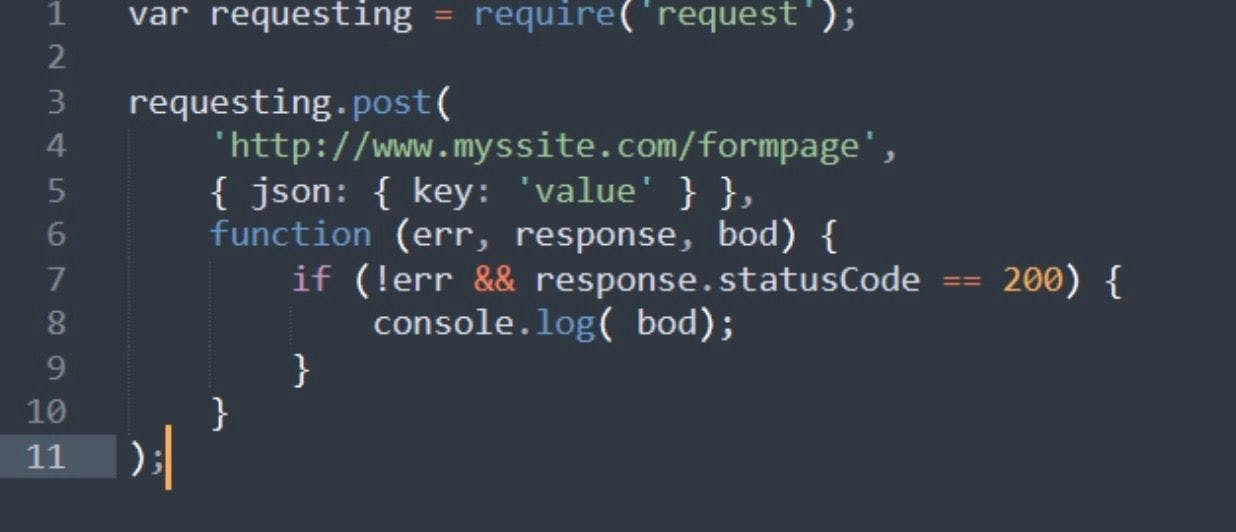
To install the body-parser module for Node.js, follow these steps:
- Open a command prompt or terminal window.
- Navigate to the directory where your Node.js project is located.
- Run the command “npm install body-parser” to install the body-parser module and add it to your project's dependencies.
Wrapping up
The list of Node.js interview questions above is a compilation of various core concepts that a recruiter would ask a candidate in an interview. So, this extensive list of top 100 Node.js interview questions & answers will also come in handy to developers to be ready for the interview, meanwhile also helping recruiters to ask potential candidates depending on their development knowledge and level.
Hire Silicon Valley-caliber Node.js developers at half the cost
Turing helps companies match with top quality remote JavaScript developers from across the world in a matter of days. Scale your engineering team with pre-vetted JavaScript developers at the push of a buttton.
Tired of interviewing candidates to find the best developers?
Hire top vetted developers within 4 days.


Leading enterprises, startups, and more have trusted Turing

Check out more interview questions
Hire remote developers
Tell us the skills you need and we'll find the best developer for you in days, not weeks.